
To add recipe schema using Swift Rank, first ensure that the Swift Rank plugin is properly installed and activated on your WordPress website. Once the plugin is active, navigate to Schema Templates from the Swift Rank dashboard to begin creating recipe schema template.
Click on Add Schema Template to start.
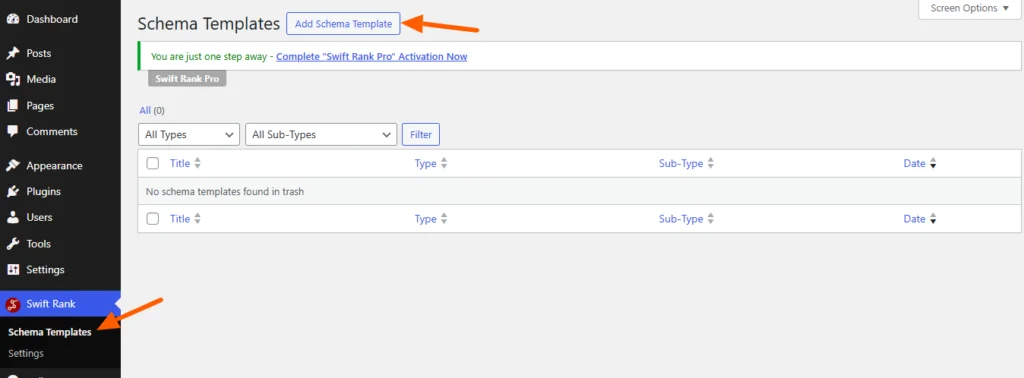
Name Your Recipe Schema Template #
You can enter a clear and descriptive title for your template.
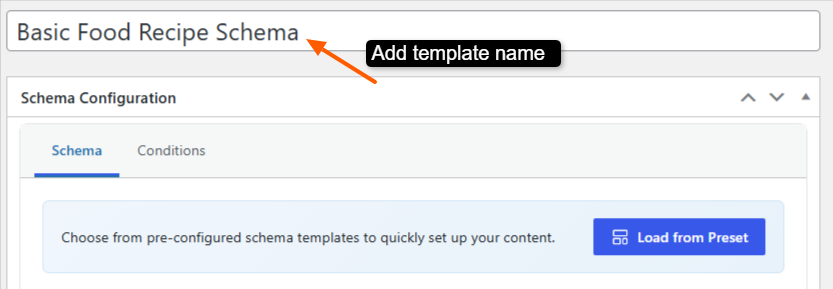
- Basic Food Recipe Schema
- Simple Recipe Structured Data
- Italian Recipe Schema
- Dessert Recipe Schema
- Beverage / Drink Recipe Schema
This helps you easily identify the template later, especially when managing multiple schemas.
Please note that Recipe schema is a Pro feature in Swift Rank, and you must upgrade to the Pro version to access and enable this functionality.
Select the Schema Type #
In the Schema Configuration panel located in the right sidebar, find the Schema Type dropdown. Click the dropdown and select recipe from the available schemas.
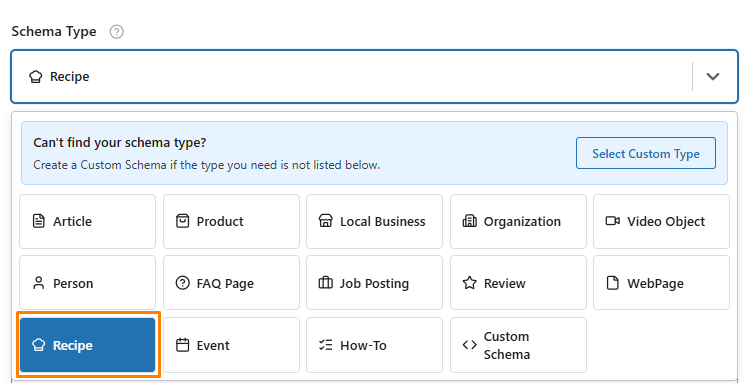
Once the recipe schema type is selected, Swift Rank will automatically load all predefined fields required to describe recipe content accurately.
Fill in Recipe Schema Fields #
Below are the key fields for a Recipe Schema, with detailed explanations and how to add them:
Recipe Name #
This field is used to define the name of your recipe. To add it, click the pencil (edit) icon next to the field and type the recipe name manually.
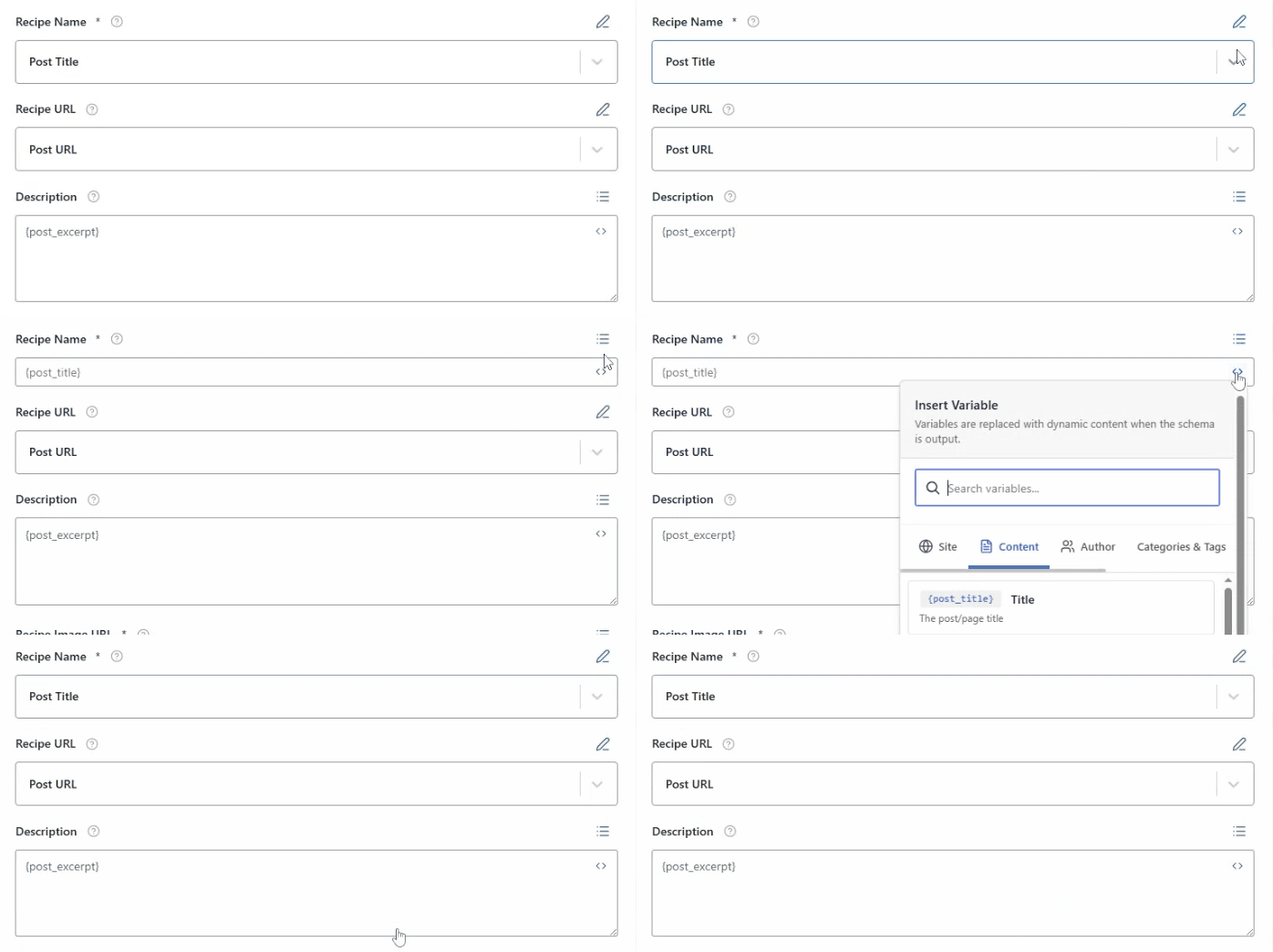
If you prefer to generate the name automatically, click the <> (Insert Variable) icon. This allows you to insert dynamic variables—such as {post_title}—so the recipe name updates on its own based on the post title or other selected data.
Recipe URL #
Enter the direct URL of the recipe’s page. To add this, click the pencil (edit) icon next to the field and manually type or paste the recipe’s URL.

If you want the link to be added automatically, you can use a dynamic variable such as {post_url}. This will automatically pull in the URL of the recipe page for each post, saving time and reducing the chance of errors.
Description #
The Description field is a brief summary of the recipe, essentially a small preview that explains what the dish is about.
For example: A simple homemade Margherita pizza with fresh basil and mozzarella.
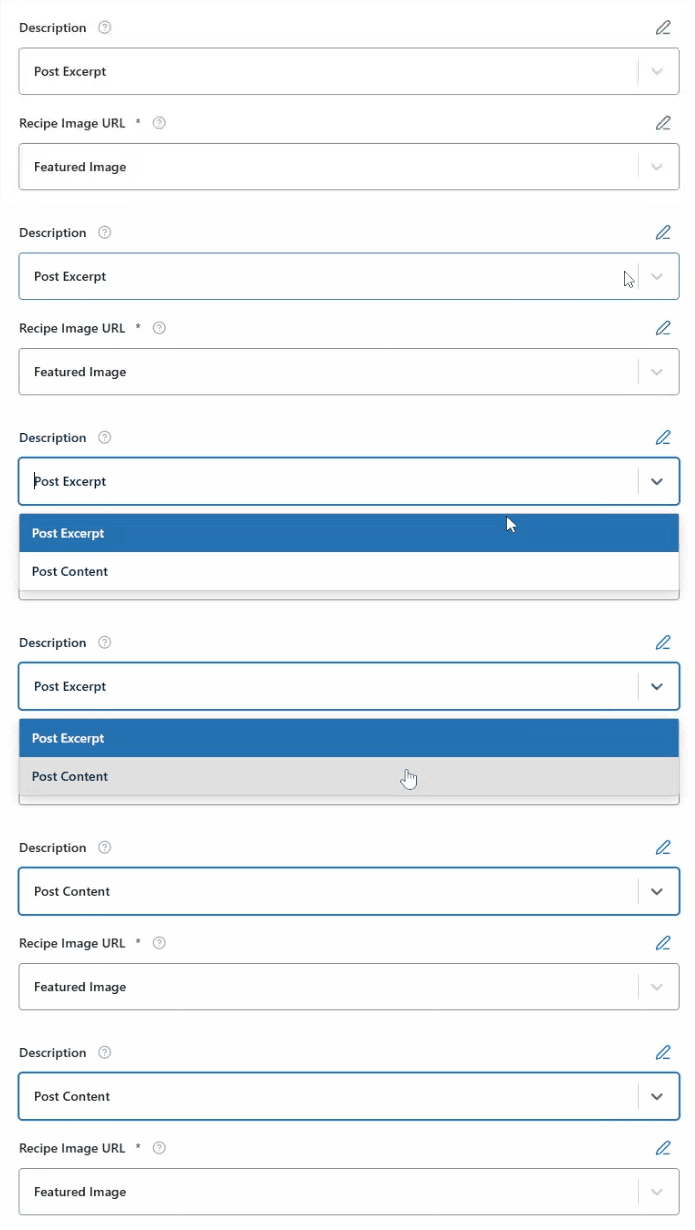
This field is particularly important for search engines as it can be shown in snippets to convince users to click. You can enter a custom description directly or use dynamic variables like {post_excerpt} or {post_content} for automated content population.
It should be concise, engaging, and ideally between 50 and 160 characters.
Recipe Image URL #
The Image URL field specifies the main visual representation of the recipie. This image may appear in search results and enhances visibility.
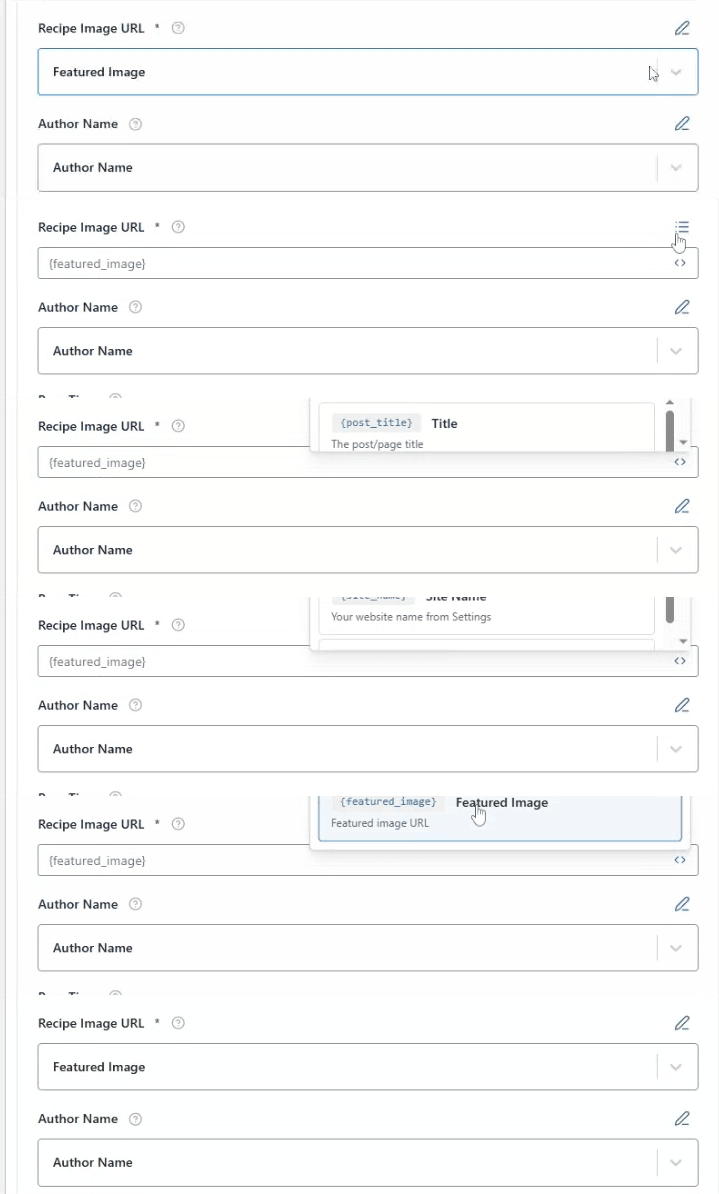
You can manually add an image URL or use a variable such as {featured_image} from the list of variables to automatically use the post’s featured image.
Author Name #
The Author Name indicates who created the recipe, adding credibility and authority to your content.
You can enter the author’s name manually by clciking on pencil icon, if it remains the same for a single recipe or post.
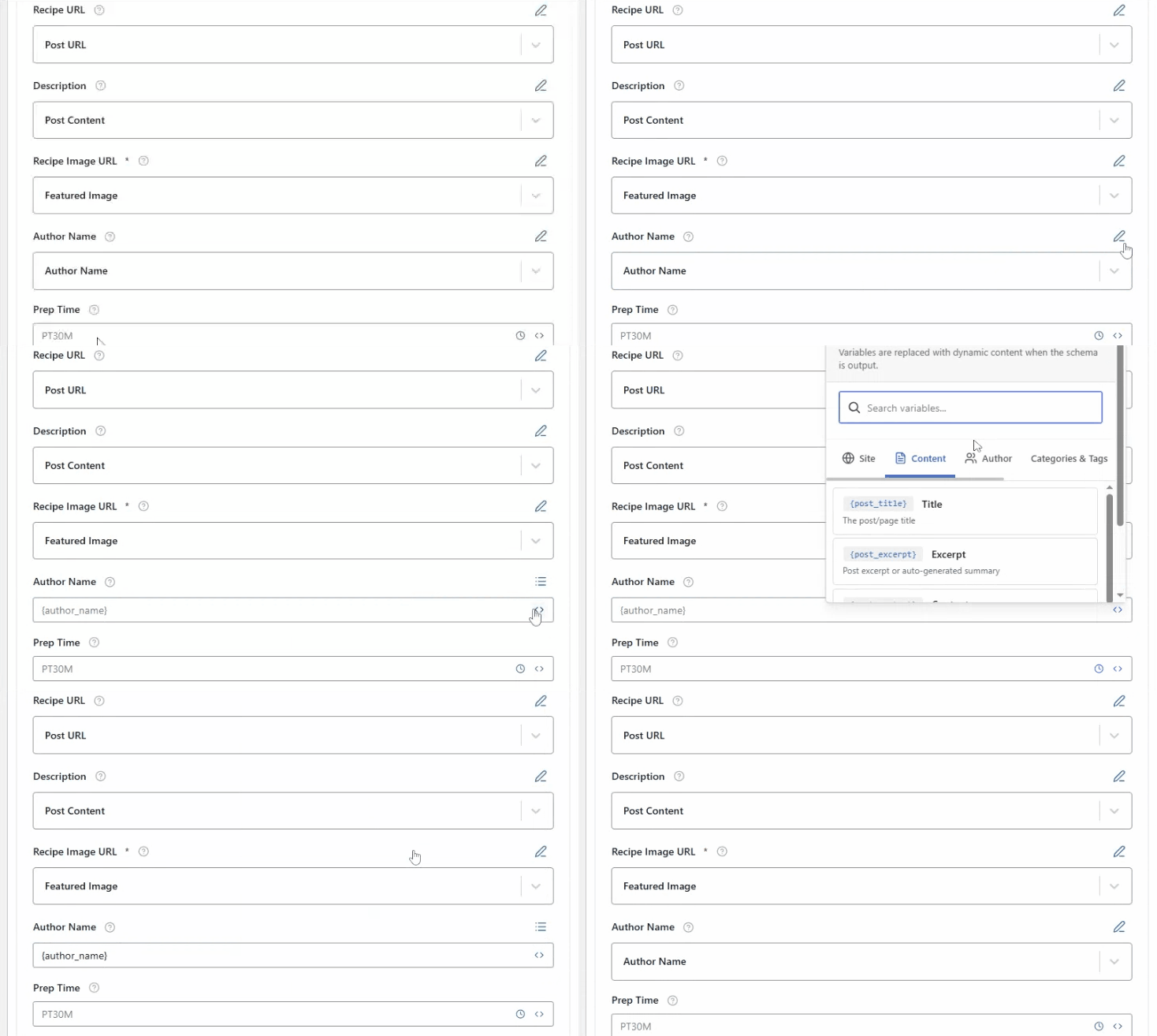
If you’re using one schema template across multiple posts, you can instead use a dynamic variable such as {author_name}.
Prep Time #
The Prep Time field specifies the amount of time required to prepare the ingredients before cooking. This includes tasks such as chopping vegetables, marinating meat, mixing batter, or measuring spices. It does not include the actual cooking or baking time—only the preparation work that a user must do to get the ingredients ready. For example, if you are making a cake, prep time might include sifting flour, beating eggs, and mixing the batter.
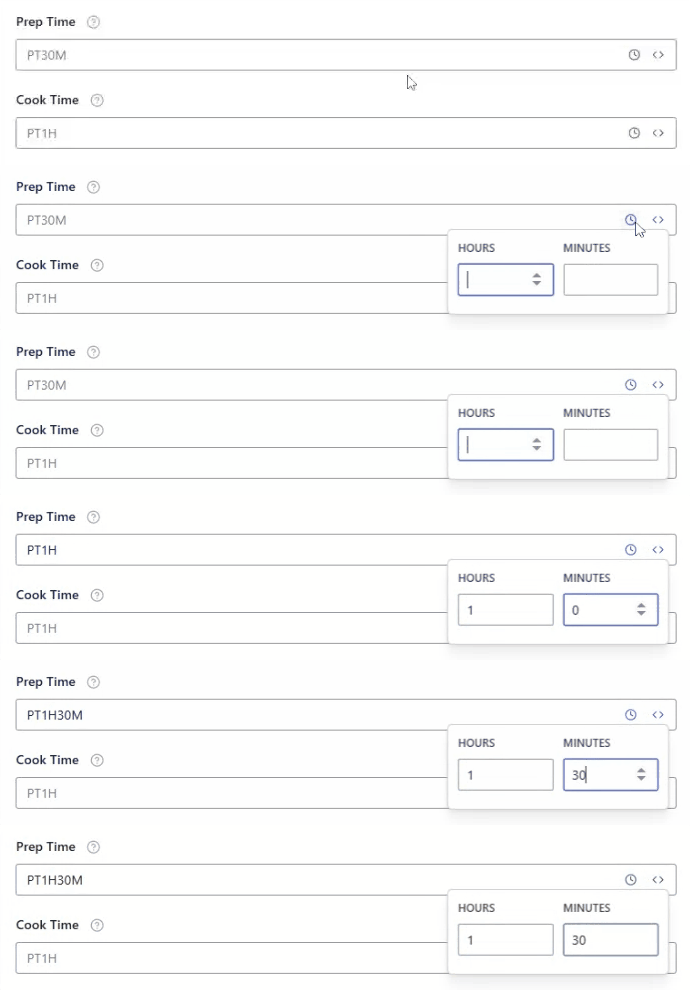
To add this, Click the select time icon next to the Prep Time field and add your hour and minutes. Or you can enter it manually in ISO 8601 format, which is the standard format used for structured data. For example:
PT1H30M= 1 hour 30 minutesPT15M= 15 minutesPT1H= 1 hour
Example:
- For a salad recipe:
PT10M(10 minutes prep) - For homemade bread:
PT45M(45 minutes prep)
Cook Time #
The Cook Time field indicates the duration required to actually cook, bake, grill, or otherwise transform the prepared ingredients into the finished dish. Unlike prep time, this does not include any preparation work; it only measures the time that the food spends cooking.
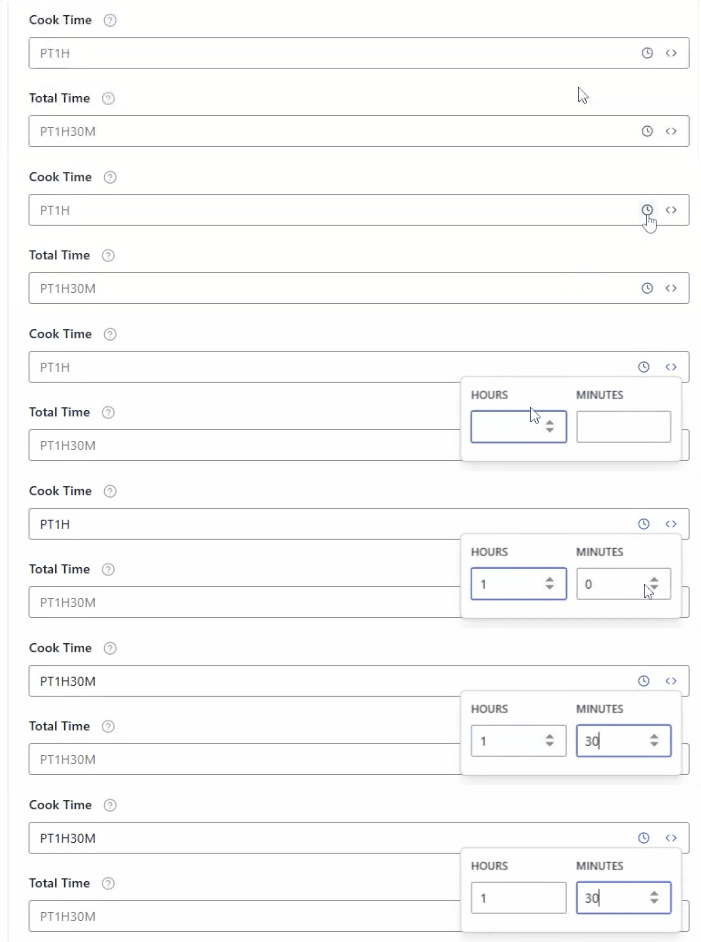
For instance, if you are baking a cake, the cook time is the amount of time the cake spends in the oven. To add this, Click the select time icon next to the Prep Time field and add your hour and minutes.
Total Time #
Total Time is the sum of prep and cook times, giving users a quick understanding of the full time investment needed for the recipe.
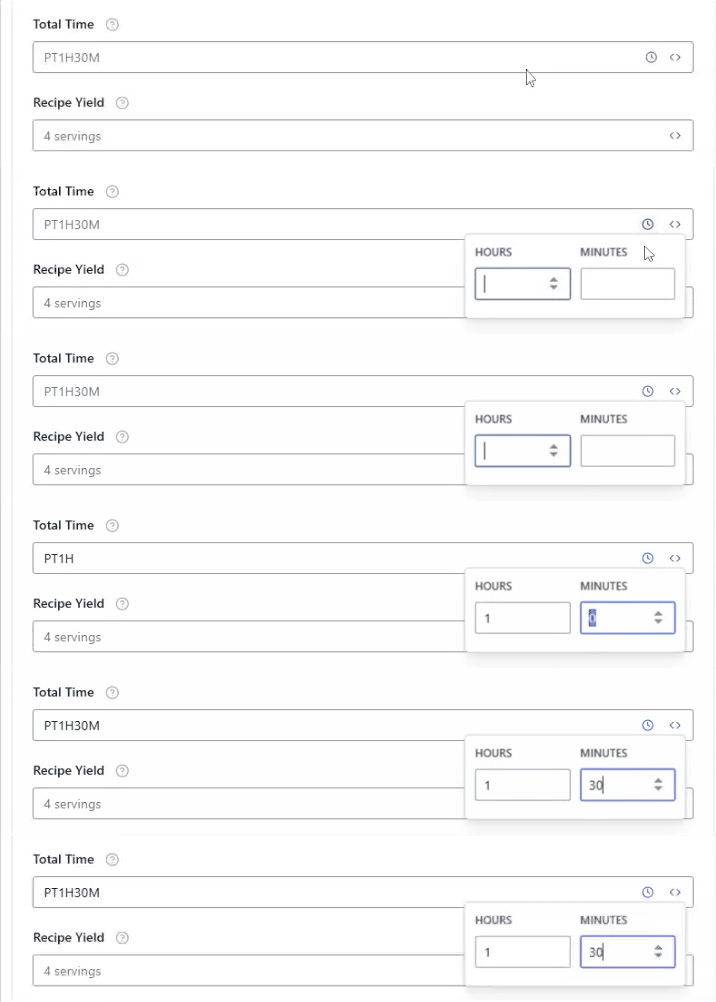
Swift Rank may calculate this automatically if prep and cook times are provided. To add this click on the select time icon and enter your minutes and hour.
Recipe Yield #
Recipe Yield defines the total quantity the recipe makes, such as the number of servings, portions, or units (for example, “4 servings,” “12 cookies,” or “2 loaves”).

This information helps users understand how much food the recipe produces, making it easier to plan meals, adjust ingredient quantities, or scale the recipe up or down.
Calories #
Calories represent the amount of energy provided per serving of the recipe, for example, “250 kcal per serving.”

This information is especially useful for health-conscious users who track their daily energy intake or follow specific dietary goals.
Category #
The Category field in a recipe schema is used to classify the type of recipe based on its role in a meal or its general type. For example, categories can include Dessert, Main Course, Appetizer, Snack, Beverage, or Side Dish.

This field helps both users and search engines understand what kind of dish the recipe represents, making it easier to organize, filter, and discover recipes.
Cuisine #
The Cuisine field specifies the regional or cultural origin of the recipe, such as Italian, Mexican, Indian, or Chinese.

This information helps search engines associate the recipe with a specific food tradition or geographic style. These schema fields can also be modified directly while editing an individual post or page.
Keywords #
The Keywords field includes relevant words or short phrases that describe the recipe and its main elements. These may include ingredients, cooking style, or common search terms, such as pizza, mozzarella, basil, Italian pizza.

Well-chosen keywords give search engines additional context about the recipe, increasing the likelihood of appearing in related search queries and improving overall discoverability.
After filling in these fields, click the ‘Publish’ button to save your changes.


