
This documentation explains how to edit schema markup on individual posts using the Swift Rank plugin. Editing schema at the post level allows you to customize structured data for a specific piece of content without impacting the rest of your website.
What Does Editing Schema Per Post Mean? #
Editing schema per post means modifying structured data only for a single post, rather than applying changes globally across your site.
With per-post schema editing, you can change the schema type for a specific post (such as Article, BlogPosting, FAQ, HowTo, Product, etc.)
Edit important schema fields like:
- Date Modified
- Headline
- Description
- Author
- Date Published
This level of control is essential because different pages serve different SEO purposes, and a one-size-fits-all schema approach is not always effective.
Why Editing Schema on Individual Posts Is Important for SEO #
Each page on your website may have a unique intent:
- Blog posts work best with Article or BlogPosting schema
- Tutorials may require HowTo schema
- Question-based content benefits from FAQ schema
- Product pages need Product schema
By editing schema at the individual post level, you ensure that search engines clearly understand the context and purpose of each page, which can improve:
- Search visibility
- Rich results eligibility
- Click-through rates (CTR)
How to Edit Schema on an Individual Post in Swift Rank #
Follow the steps below to edit schema markup for a specific post.
Open the Post in WordPress Editor #
- Log in to your WordPress Dashboard
- Navigate to Posts → All Posts
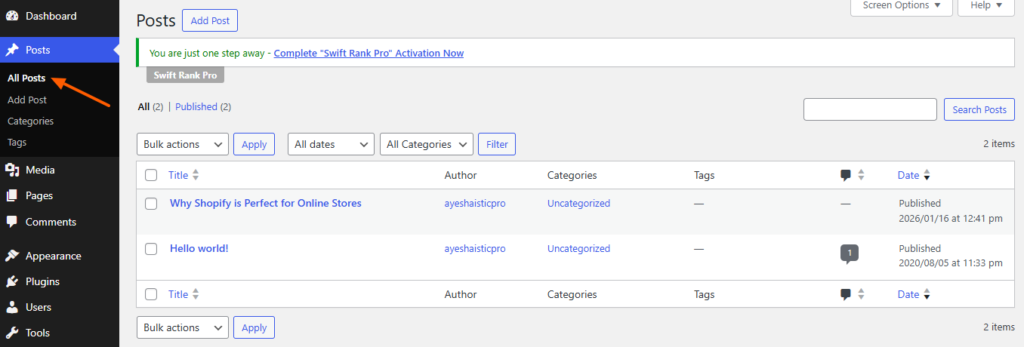
Open the post (or page) where you want to edit the schema markup
Access the Swift Rank Schema Meta Box #
- Scroll to the bottom of the post editor
- Locate the Swift Rank meta box
- Click on the up arrow (expand icon) to open the schema configuration panel
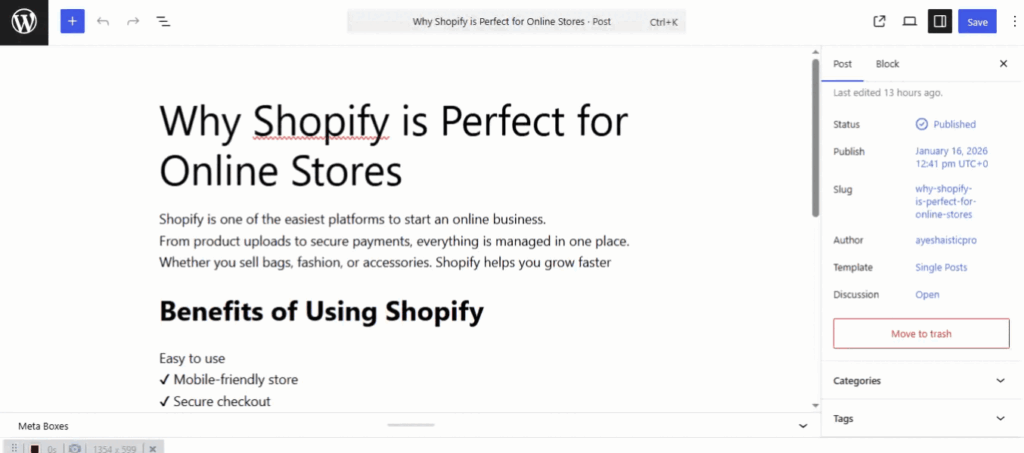
Once expanded, you will see the schema template assigned to that post.
Editing Schema Fields for a Post #
Swift Rank allows you to customize each schema field easily.
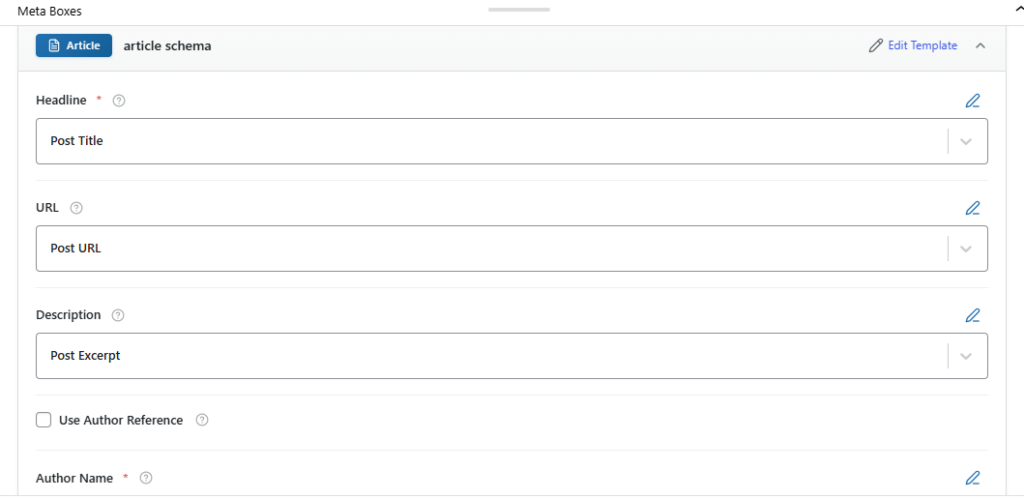
You can edit fields such as:
- Headline
Modify the main title that appears in structured data. This can be different from the post title if needed for SEO optimization. - Description
Update the schema description to better summarize the content for search engines. - URL
Ensure the correct canonical URL is used in the schema markup. - Author
Assign or modify the author information for the post. - Published and Modified Dates
Control how publication and update dates are displayed in structured data. - Featured Image
Set or override the image used in schema markup.
Each change you make here applies only to the selected post, leaving global and other post schema settings unchanged.
Final Step: Save Your Changes #
After completing your schema edits, click Update or Publish on the post. Swift Rank will automatically apply the updated schema markup to that specific post


