
This guide explains the correct way to install Swift Rank Pro on a WordPress website. It covers installation via ZIP upload and FTP method.
Important: Swift Rank Pro requires the free version of Swift Rank to be installed and activated first. The Pro plugin will not work on its own.
Install Swift Rank Pro (ZIP Upload Method) #
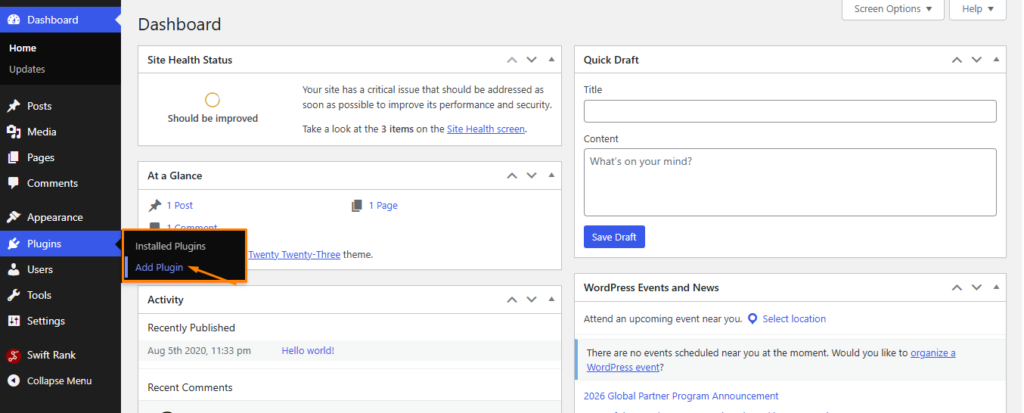
From the wordpress dashboard, go to Plugins → Add New
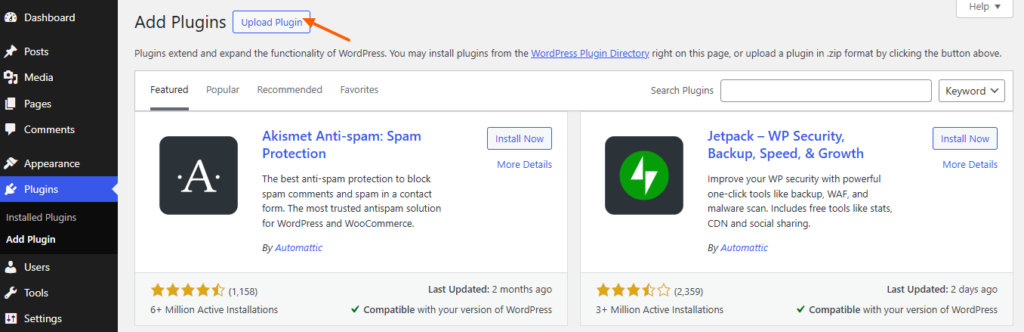
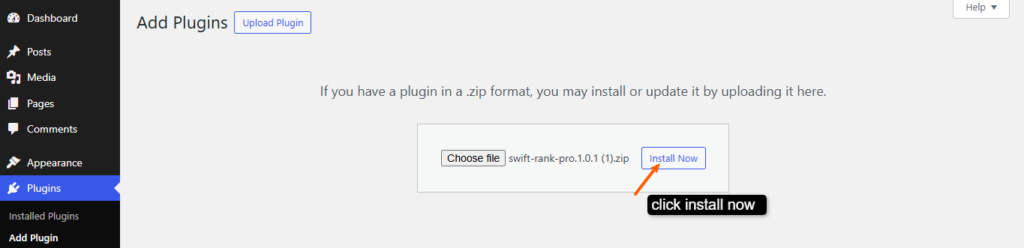
Click Upload Plugin.
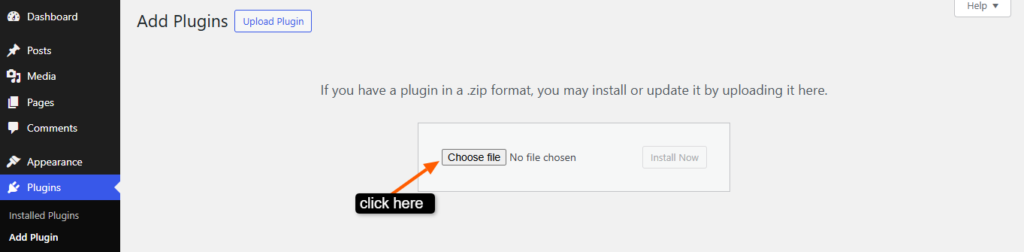
Click Choose File
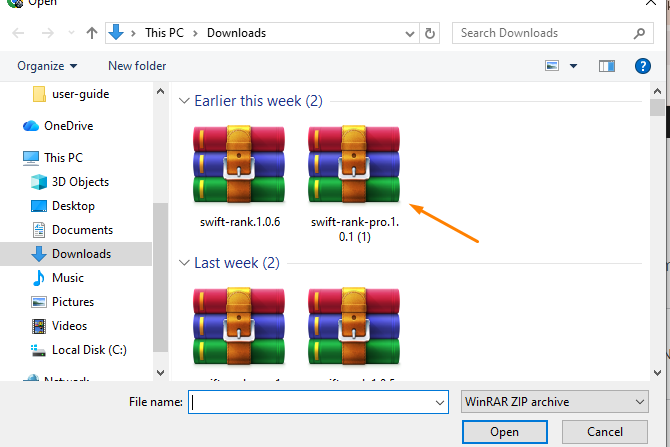
Select the swift-rank-pro.zip file from your computer.
Click Install Now.
After installation, click Activate.
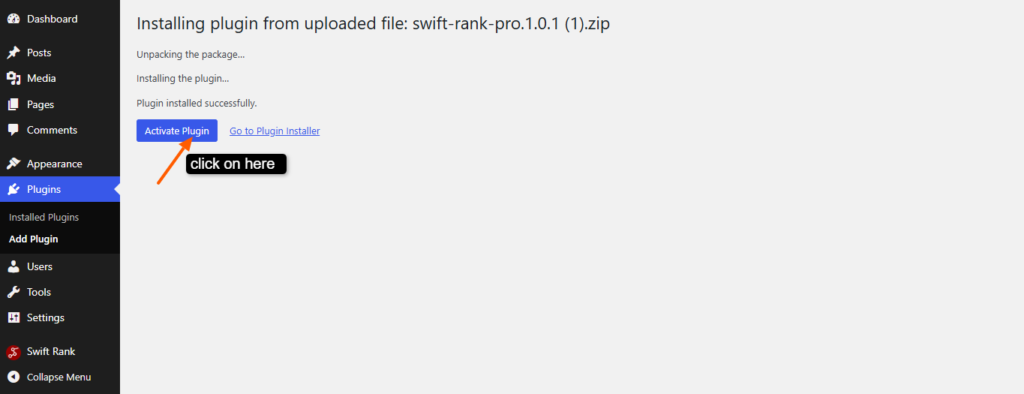
Once activated, Swift Rank Pro will automatically extend the features of the free plugin.
Install Swift Rank Pro via FTP #
Use this method if ZIP uploads fail due to server restrictions.
To install it via ftp, extract the swift rank plugin’s ZIP file on your computer.

Connect to Your Server Using FTP #
Use an FTP client such as:
- FileZilla
- Cyberduck
- Hosting file manager
Log in using your FTP credentials (host, username, password, port).
Navigate to the Plugins Directory #
Go to: wp-content/plugins/
Upload the Plugin Folder #
Upload the extracted folder so the structure looks like this: wp-content/plugins/swift-rank-pro/
Activate Swift Rank Pro #
Now go to your site and activate the swift rank plugin.
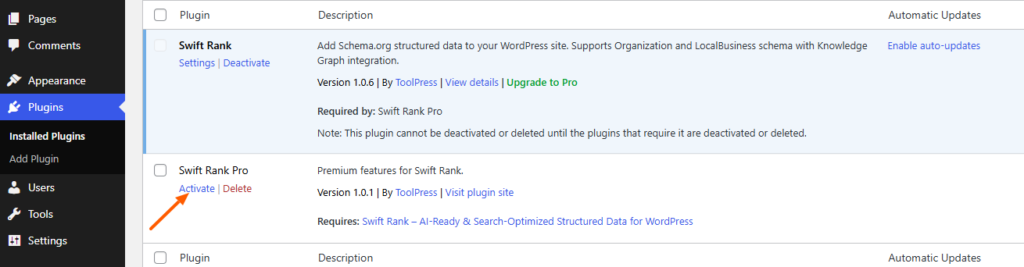
With Swift Rank Pro properly installed and activated, your WordPress site is now ready to leverage its full SEO power and advanced ranking features.


