
Swift Rank is an advanced schema and structured data plugin designed to help website owners, developers, and SEO professionals implement Schema.org markup in a simple, flexible, and scalable way. It allows you to create, manage, and control structured data without writing complex code, ensuring search engines clearly understand your website’s content and context.
Swift Rank is built around the concept of schema templates, giving you full control over how structured data is applied across your website. Instead of manually adding schema to individual pages, you can create reusable templates and apply them dynamically based on defined conditions.
Setup Wizard #
The Swift Rank Setup Wizard is designed to help you quickly and easily configure the plugin after installation. It guides you through essential SEO and schema settings in a step-by-step process, allowing you to choose the options that best match your website, such as content type, basic schema preferences, enhancements, and key SEO configurations.
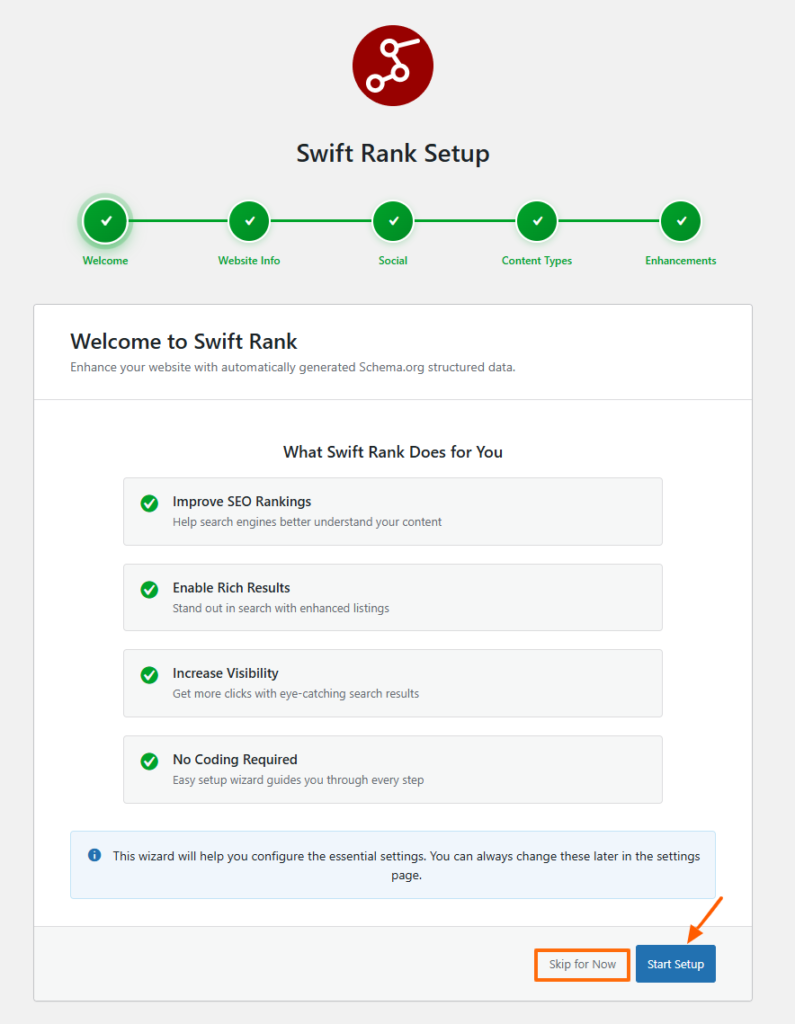
By following the Setup Wizard, you can ensure that Swift Rank is correctly configured from the start, saving time and reducing the need for manual setup while establishing a strong foundation for search engine optimization and structured data on your website.
Auto Schema #
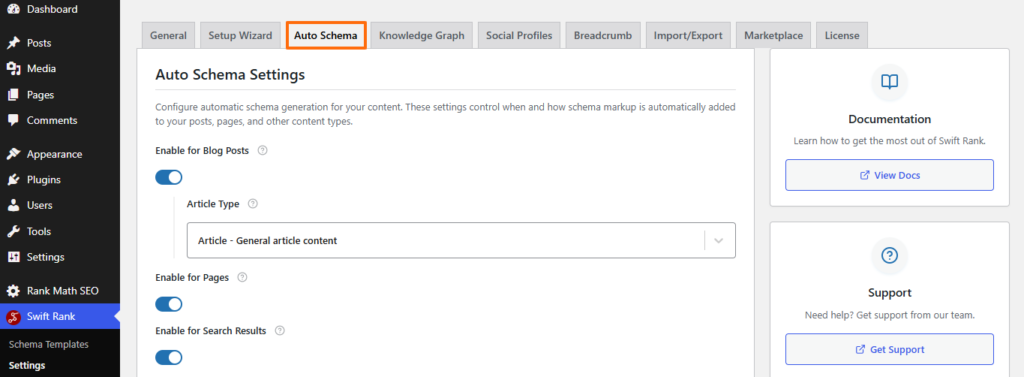
Auto Schema in Swift Rank is a feature that automatically generates and adds structured data (schema markup) to your website without requiring manual configuration. It detects the content on your pages and applies the schema types based on that content.
You simply need to enable the schema types you want to use on your website, whether for blog posts, videos, or other content types and Swift Rank will automatically apply them accordingly.
Auto Video & Image Schema #

Swift Rank provides Auto Image Schema and Auto Video Schema options to automatically detect and generate structured data for images and videos present on your webpages without requiring manual schema creation.
Google Sitelinks Searchbox (Pro) #

It adds a search box directly below your website’s Google search result when eligibility criteria are met. This allows users to search your site without visiting it first, improving usability and increasing engagement straight from the search results page.
Schema Templates #
Swift Rank allows you to create your own schema templates tailored to your website’s content. Each template defines the type of structured data you want to apply, such as organization details, articles, services, products, or custom entities.
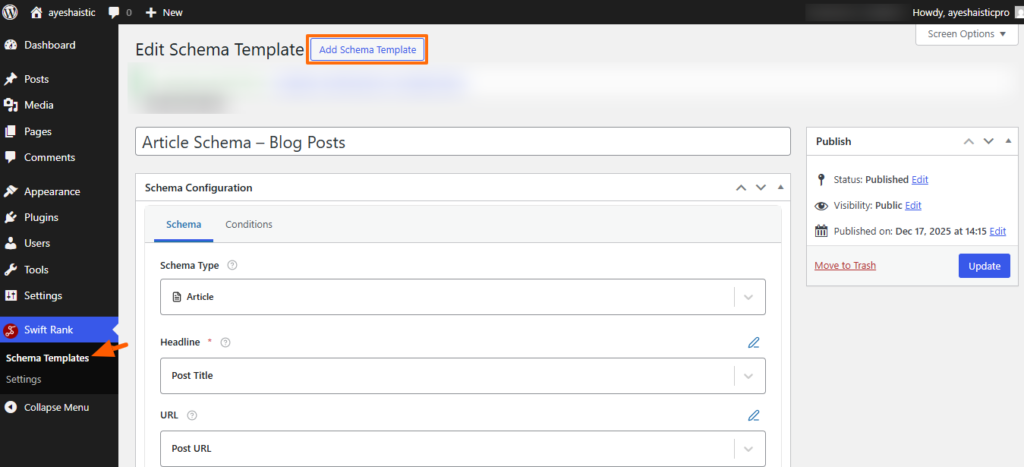
Once a schema template is created, it can be reused across multiple pages, ensuring consistency and saving time. These templates can also be imported and exported, making it easy to migrate schema settings between websites, share configurations with teams, or maintain backups.
Variables #
Variables in Swift Rank act as smart placeholders inside your schema templates. Instead of hard-coding values, you insert a variable like {post_title} or {site_name}, and Swift Rank automatically replaces it with the correct data for each page.

This lets one template generate unique, accurate schema across your entire site without manual edits. Variables save time, reduce errors, and keep your structured data consistent while still adapting to every post, page, or author.
Conditions #
The condition tab allows you to add the condition in multiple groups like Group A, Group B, Group C with groups logics “Or, “And”. By adding the following rules:
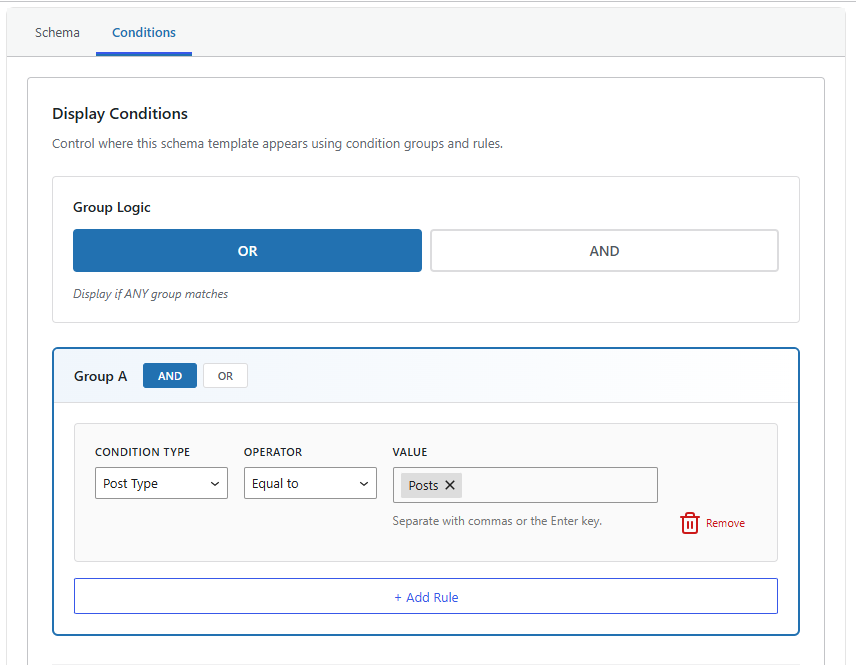
- Condition Type (e.g., Location, Post Type, Singular post/ Page)
- Operator (Equal to, Not equal to)
- Value (Whole site, home page)
These rules determine exactly where the schema should be applied.
Settings #
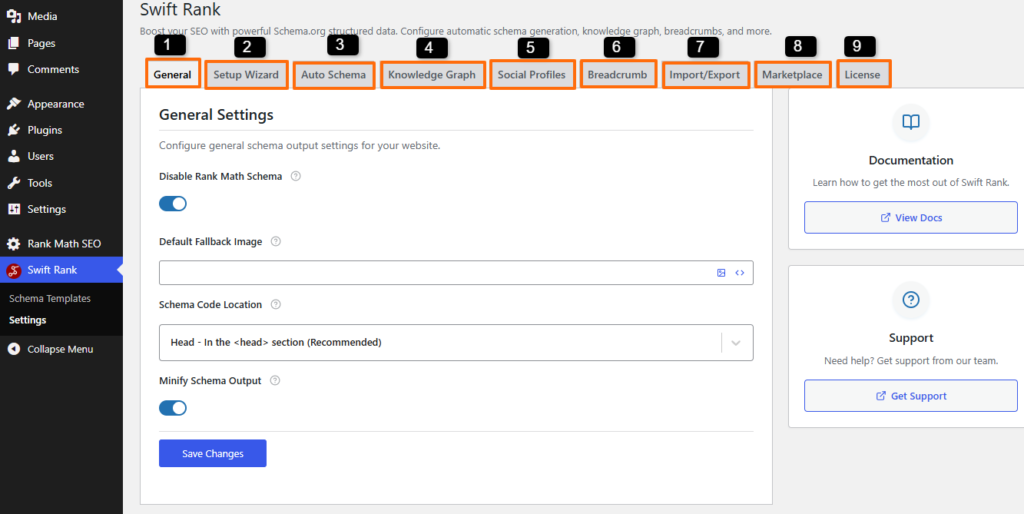
The settings cover different tabs:
- General Tab
- Setup Wizard
- Auto Schema
- Knowledge Graph
- Social Profiles Tab
- Breadcrumb Tab
- Import/export templates
General Settings #
General tab covers auto enabling schema for minify schema schema output, default fallback images, you can also add schema locations, plus you can disable rank math schema.
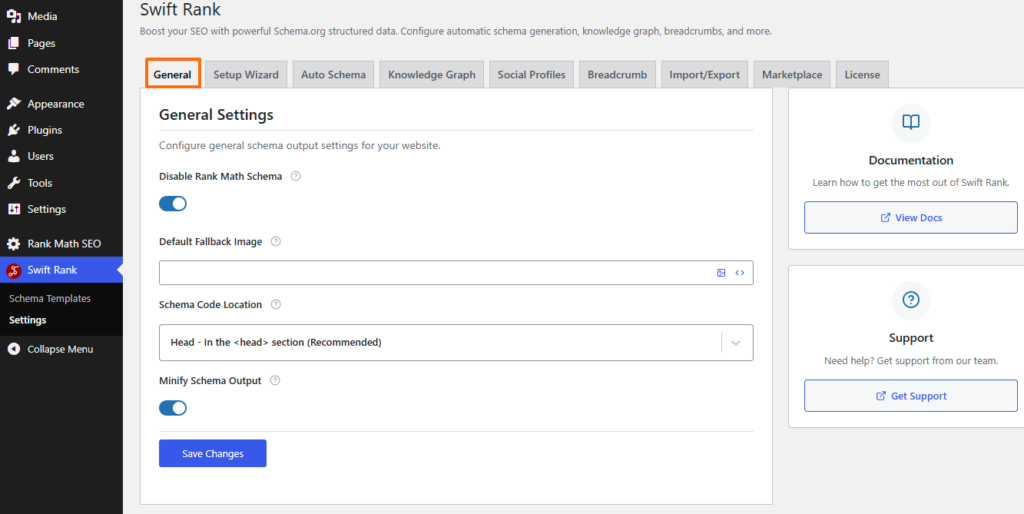
You can apply schema to pages and internal search result pages for better indexing.
Disable Rank Math Schema #
You can enable this toggle to disable Rank Math schema and prevent duplicate schema markup on your website.

Since both plugins generate structured data, turning on this option ensures that Swift Rank becomes the primary plugin for managing all schema types, helping avoid conflicts and maintaining clean, SEO friendly schema implementation.
Default Fallback Image #

Default Fallback Image is used whenever a post or page does not have a featured image assigned. It helps prevent schema-related warnings and ensures consistent visual presentation in rich results. You can either rely on the featured image variable or upload a custom image that aligns with your brand.
Schema Code Location #
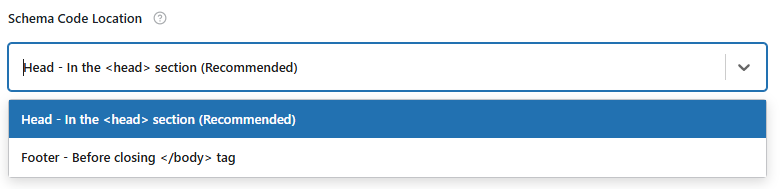
Schema Code Location controls where structured data is placed within your site’s HTML. Placing schema in the <head> section is recommended for better detection by search engines. If your theme has limitations, the schema can alternatively be injected before the closing </body> tag.
Minify Schema Output #

Minify Schema Output removes unnecessary whitespace and formatting from the generated schema markup. This reduces file size while keeping the structured data fully readable and effective for search engines.
Knowledge Graph Settings #
The Knowledge Graph tab in the Swift Rank Schema plugin is used to define your website’s core entity information so search engines clearly understand who or what your site represents. In this section, you configure details such as whether the site belongs to an organization, individual, or local business, along with your name, description, logo, contact details, and location information.
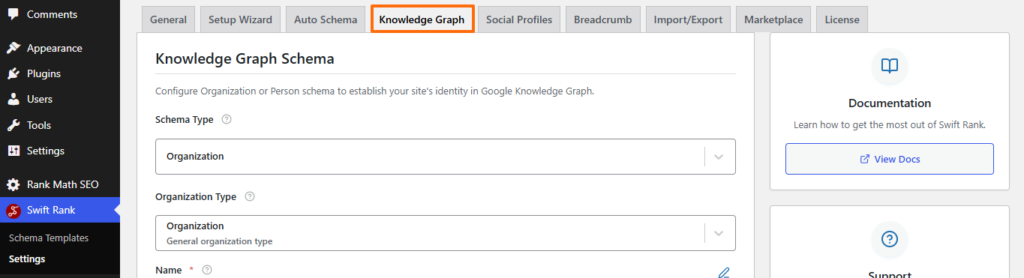
These settings help build a strong and consistent Knowledge Graph by generating accurate structured data across your website, improving how your brand is interpreted and displayed in search results.
Social Profiles Settings #
The Social Profiles tab in Swift Rank allows you to add and manage your website or brand’s official social media profile URLs, such as Facebook, X (Twitter), LinkedIn, Instagram, YouTube, and custom platforms.
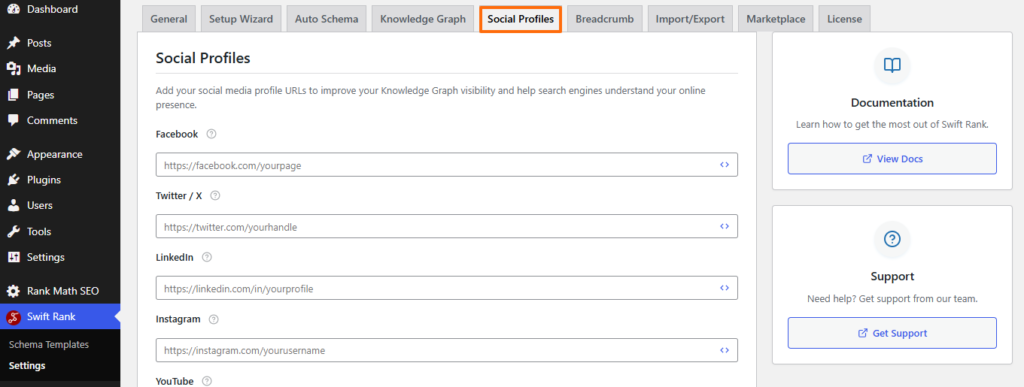
These profiles are included in your site’s structured data to strengthen Knowledge Graph signals, helping search engines clearly associate your website with its verified social presence.
Breadcrumb Settings #
The Breadcrumbs tab in Swift Rank lets you enable and customize breadcrumb schema for your website, helping search engines understand your site’s structure and page hierarchy.
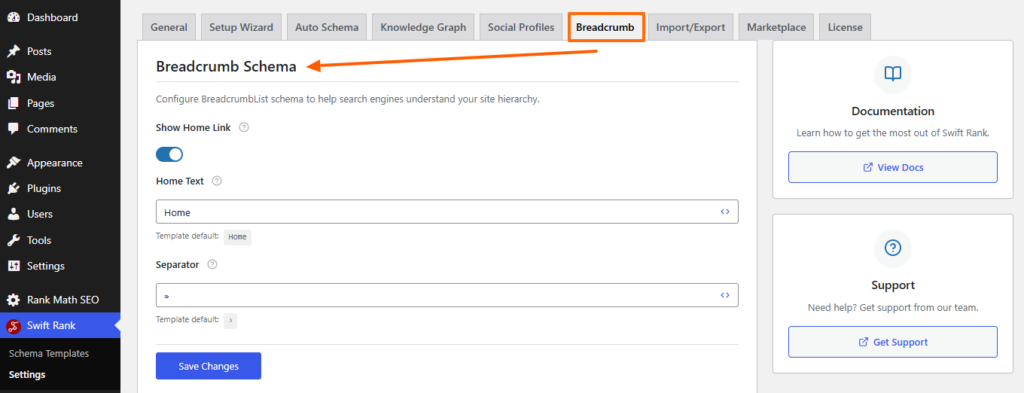
From this tab, you can control whether breadcrumb schema is generated, include or exclude the homepage link, customize the home label, and choose a separator style.
Properly configured breadcrumbs improve crawlability, enhance user navigation, and increase the chances of rich breadcrumb results appearing in search listings.
Import/ Export #
The Import / Export Schema Templates tab in Swift Rank allows you to back up, transfer, and reuse schema templates across different websites. From this section, you can export existing schema templates as a JSON file or import previously saved templates to maintain consistent structured data setups.
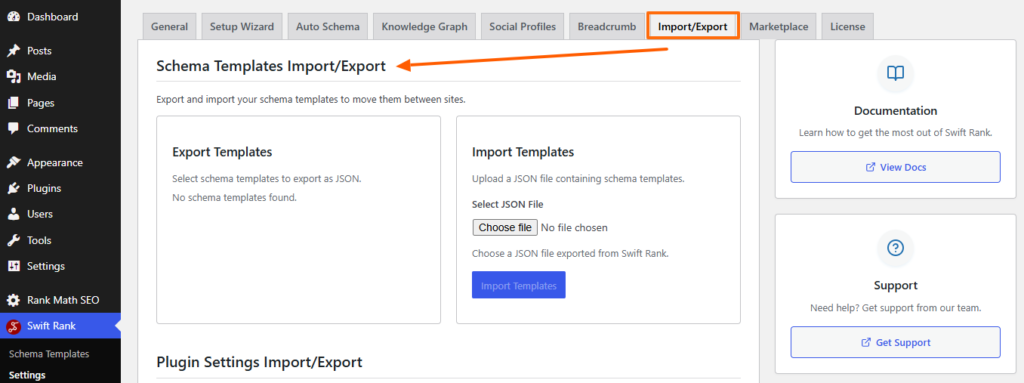
This feature saves time, reduces configuration errors, and helps ensure uniform schema implementation when migrating sites or managing multiple projects.


